|
|

|
|

|
|

|
|
|
|
|
|
|
|
|
|
|
|
This is a guest post by Pavlok friend Steve from Startup Black Belt
I’m a busy guy.
A startup CTO, startup consultant, father, husband, and homeowner… There are a lot of things demanding my time. Employees, clients, writing code, exercising, family time and more. It all adds up.
As business keeps growing, the one thing that’s consistently been falling by the wayside is my writing. And that kind of sucks.
I like writing. It helps clear my head.
It keeps me mindful of different aspects of my different businesses, and I find it generally boosts my productivity for whatever reason. Plus, it helps boost my consulting business and builds up my tribe.
It’s important, and I have to make the time for it consistently.
I’ve already used my Pavlok to create an extra hour or so in my day by helping me actually wake up early. It also reminds me every day to switch to my standing desk — helping me stay a bit more active.
But how can it remind you to write?
It’s a technically challenging thing to do. There’s no physical gesture that makes writing at a MacBook look differently from screwing around on Facebook.
It’s not easy to know when I don’t do something every day unless I physically check in saying I did it, and that’s not my style. It’s another task to do in an already stacked day.
So how can we make this work? How can I shock myself into writing every day without actually doing some boring admin work every day?
After some trial and error, I’ve found the solution.
Before the system is revealed, let me explain how I write as it may be different from how you write.
First off, I use Pages on my MacBook.
I don’t really like Google Docs to write since it’s in the browser, and that can lead to distraction. Yes, I’m aware that I can blacklist sites when I go to write, but again, more admin work than I’d like to deal with. Pages works for me.
Second, I use Dropbox to store it and share it with the team that will help edit and share everything to the world on my blog, my Entrepreneur column, or anywhere else. Yes, I realize that I can use Google Docs for this, and I personally don’t want to. See above.
With that 2 step approach, I can write anywhere at any time without any excuses. As soon as I get some internet and my Dropbox syncs up, it’ll check in with my system and not shock me.
Here’s how to do it.
Keep A Record Of All Writing With IFTTT And Google Sheets
Since I put my articles into Dropbox, I can use IFTTT to write a row to a spreadsheet on Google Sheets. It’s essentially a log book that updates every time a new file is created in one of my writing folders.
There are two specific folders that I care about: Drafts (everything I’m working on that’s unfinished) and Unpublished (all finished work that needs to be published somewhere.) If a new file shows up anywhere in these folders, it means I did some writing for the day. Log it in Google Sheets.
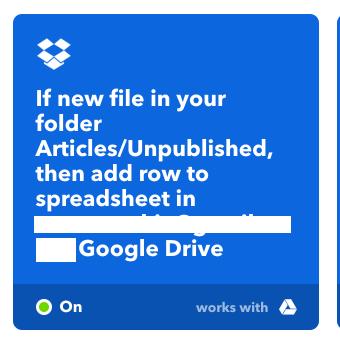
(Here’s my unpublished trigger.)
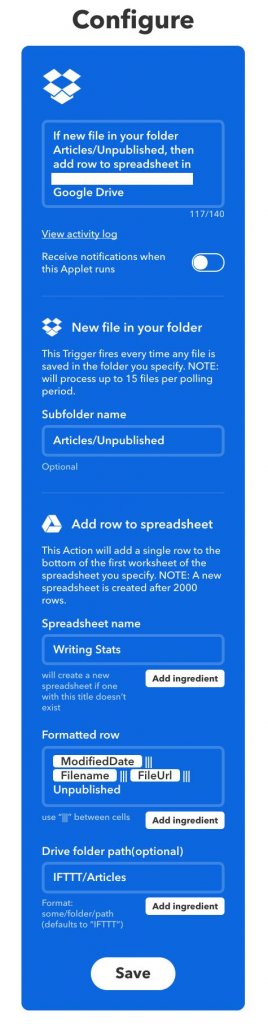
(And the detail.)
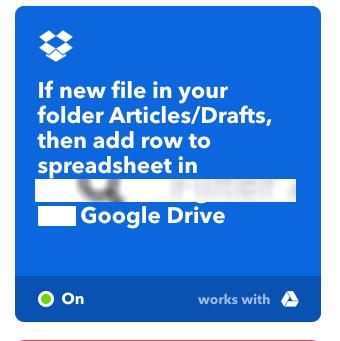
(Here’s my drafts trigger.)
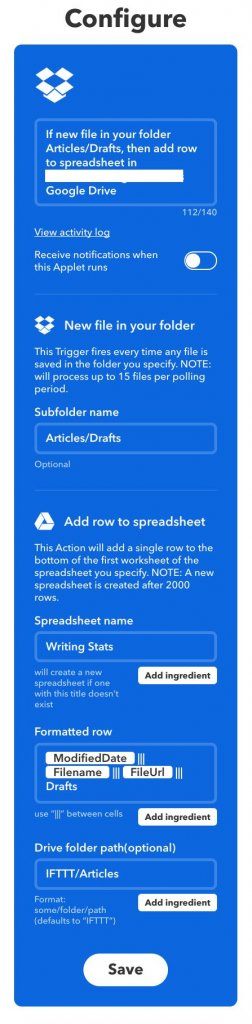
(And the detail.)
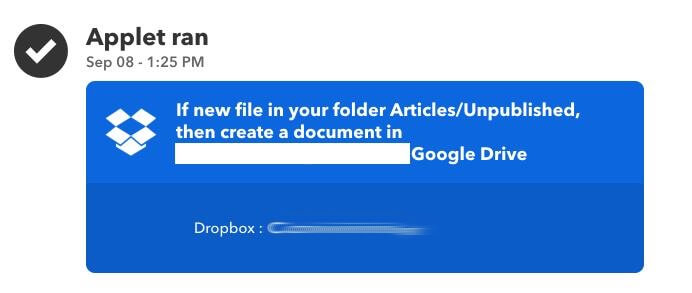
(Here’s IFTTT running to create the sheet)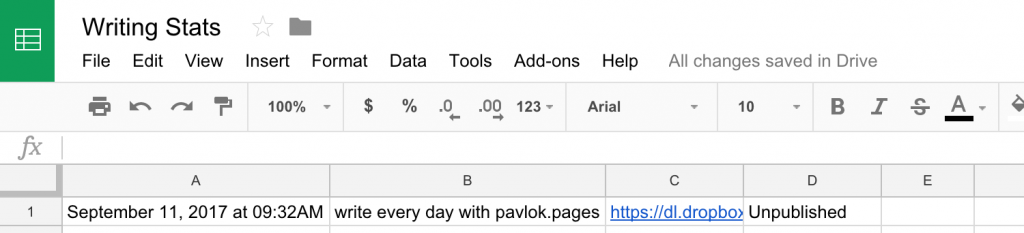
(Here’s what the sheet looks like. 100% created and maintained by IFTTT)
NOTE: For this to work, there has to be at least one row in the sheet. It won’t work without a row to check, so add one in manually if you want it to start on day 1.
This is a fairly straight forward process: Check the latest row every day and send me an email if there was no new row added. That means I didn’t write.
My goal is to write every weekday by 4 pm EST, so that’s when I check.
For this part, you need to use Google Scripts on the sheet.
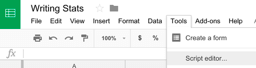
(Here’s how to get to the script editor)
You have a script that checks the last row of the sheet and looks at the day. If that date isn’t today’s date, it means you didn’t write today. In that case, it sends an email.
function myFunction() {
var now = new Date();
var day = now.getDay();
var hours = now.getHours();
if ((day < 6) && (hours >= 16) && (hours <= 17)) {
// Get the dates.
var ss = SpreadsheetApp.getActiveSpreadsheet();
var sheet = ss.getSheets()[0];
var lastRow = sheet.getLastRow();
var formatDate = sheet.getRange(lastRow, 1).getValue().replace(‘at ‘, ”).replace(‘AM’, ”).replace(‘PM’,”) + ” GMT-0400″;
var lastWrite = new Date(formatDate);
var lastWriteDate = lastWrite.getFullYear() + “-” + lastWrite.getMonth() + “-” + lastWrite.getDate();
var nowDate = now.getFullYear() + “-” + now.getMonth() + “-” + now.getDate();
if (nowDate > lastWriteDate) {
// Email out.
MailApp.sendEmail(“YOUR@EMAIL.COM”, “You didn’t write today.”, “Get on that.”);
}
}
}
For this part to work, you have to schedule it to run. I have it running every weekday between 4 pm and 5 pm, so it will zap me at the end of the day if I forgot to write.
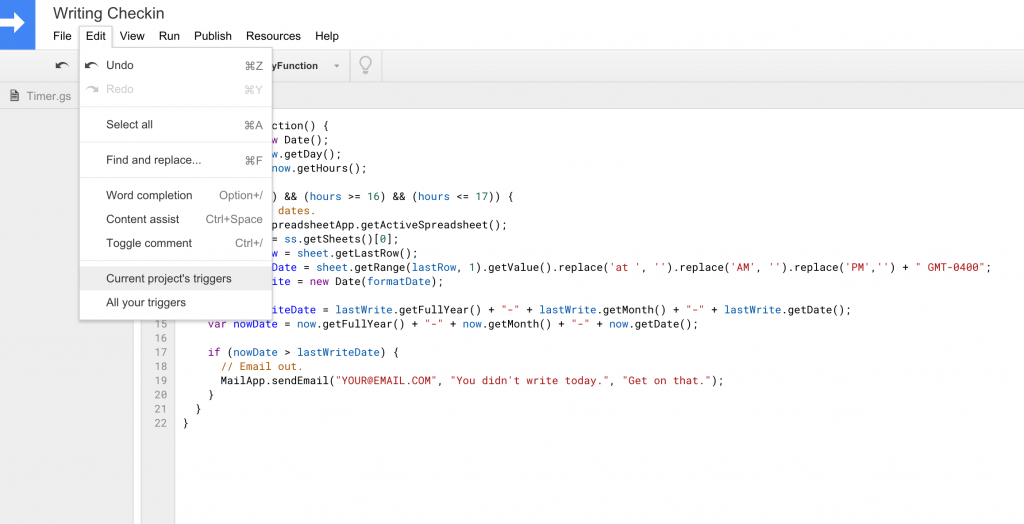
(This is how you create the trigger.)
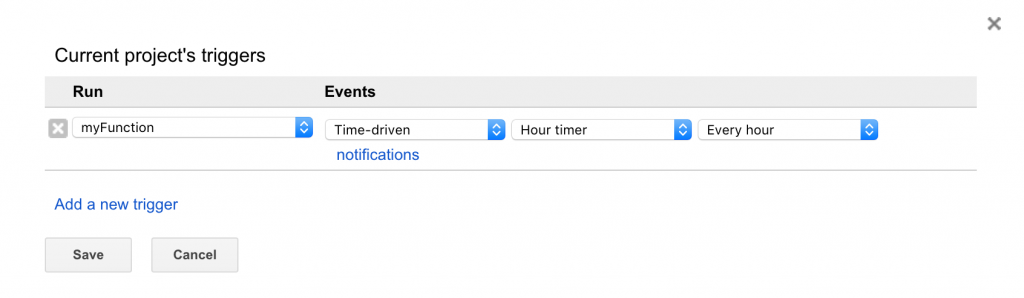
(This is what you set the trigger to.)
The last step is to get back into IFTTT with a script that checks for that “You didn’t write today…” email and use it as a trigger for Pavlok to zap.

(Here’s my Pavlok trigger.)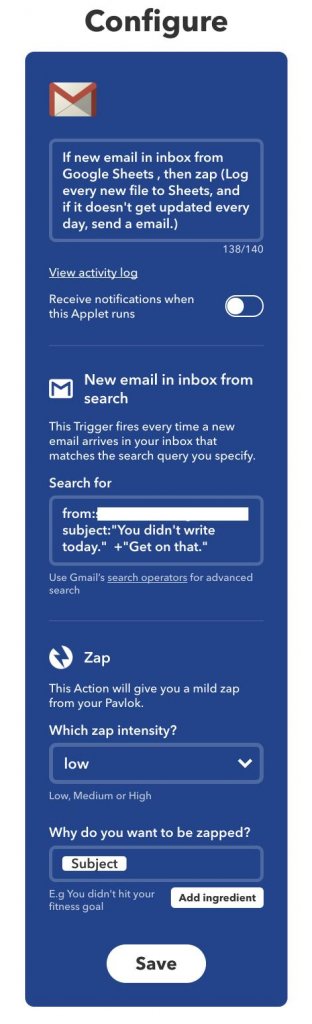
(And the detail.)
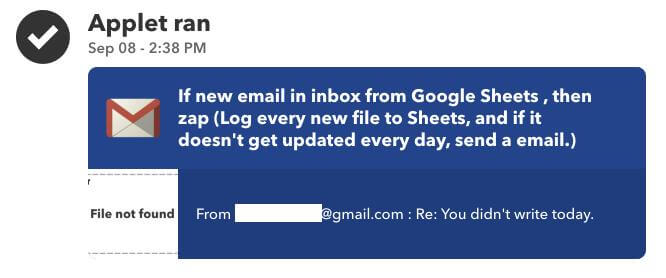
(Here’s IFTTT triggering a zap.)
And that, my friend, is how I’m forcing myself to write. After a few 70% shocks to the wrist, this will be yet another positive habit that sticks.
This can be used for more than traditional writing too.
Want to write code every day? Sync up a folder that stores your code.
Want to post on Instagram every day? Use Instagram posts to log to Sheets instead of Dropbox.
Want to work out every day? Use your chosen fitness tracker to log to Sheets instead of Dropbox.
I can think of about a hundred others. You’re only limited by your imagination and desire to build a new habit.
It might seem like a lot of steps to go through to make sure I write consistently, but if you think about the one-time setup cost vs. the ongoing benefits of building such a productive habit, it’s a no-brainer.
Want to make writing a habit? Get your Pavlok today.
Check out the Pavlok App (No Pavlok Device Need] on IOS and Google Play
Fellow Pavlokians,
Maneesh here.
One of the most exciting things about running Pavlok over the last few years, is seeing the progress our team has made when it comes to making the habit change experience better for Pavlok users.
Today we’re excited to take that ever further.
The software team has been working around the clock to build what we know is one of the best behavior change apps on the market today.
And our new completely redesigned app will blow you away.
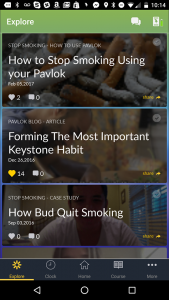
One of the things we’re most excited about with the new release is our new “Explore” section, where we’ll be sharing the best habit change resources around to help you take control of your habits.
Best yet, the explore section is open to anyone, even if you don’t have a Pavlok device.
The truth is, while we sell hardware… we’re not a hardware company.
Pavlok is a behavior change company and we know content is a huge part of behavior change.
Our number one goal is to make sure you succeed in building the habits that help you get the most out of life and with the new app and content we hope to do that.
For the announcement and what’s new, I’ve invited our software team to share all the latest from the Pavlok iOS 4.0 app.
It’s only the beginning for Pavlok, and we couldn’t be more excited.
Software team take it away.
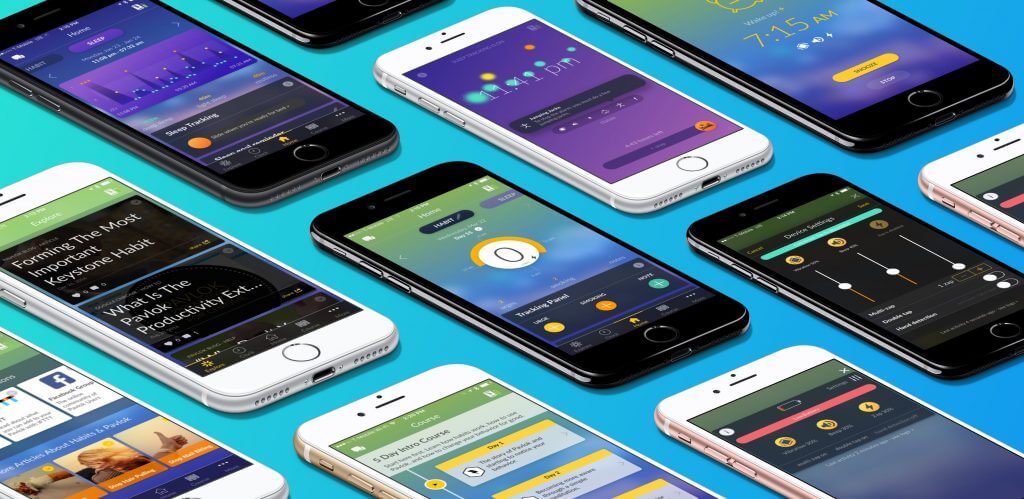
We’re happy to introduce you to the latest release of the Pavlok app. We’ve spent the last few months listening to user feedback and doing our best to make sure this app is the best behavior resource on the market.
We’d like to share some of the newest features of our completely redesigned app.
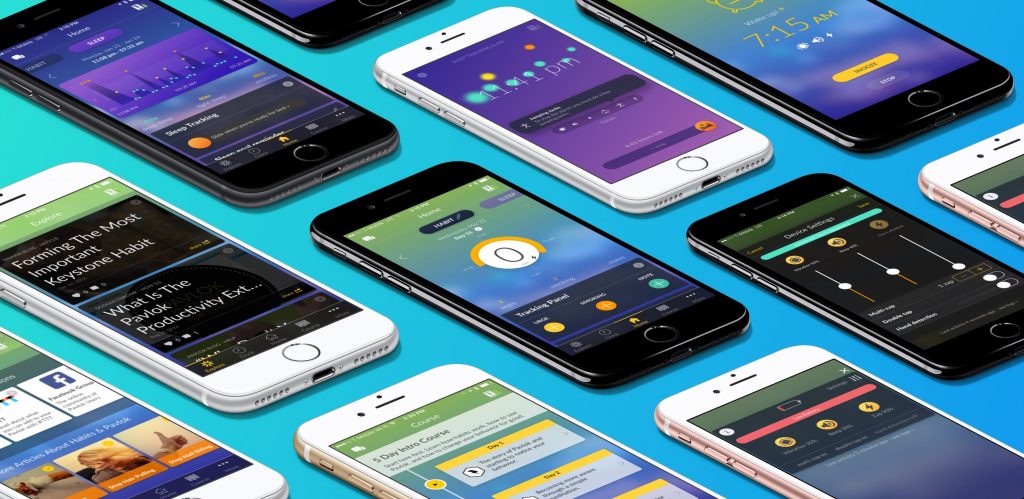
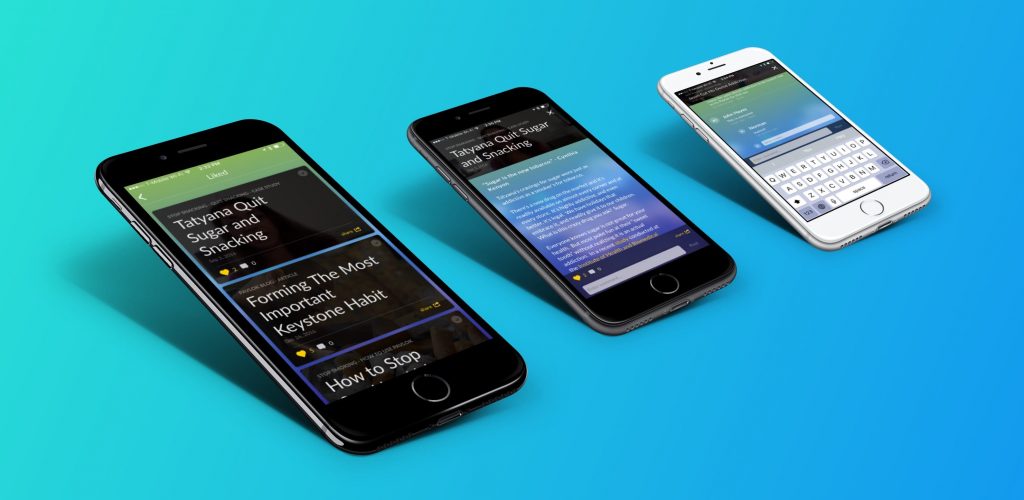
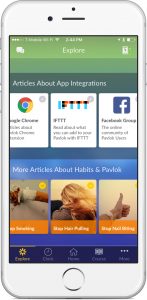
We’ve introduced a new Explore Section of the app. Here you will be able to read articles about your habit and integrations.
The new Explore Section
The explore section will be populated with content to match your current habit, and you can explore a wealth of content designed to change your life for the better.
We want you to engage with like-minded folks by sharing and commenting on articles that you find useful, and share stories with us about your successes with Pavlok. We are a tribe of thousands of habit change enthusiasts from all around the world.
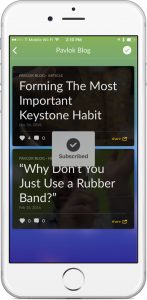

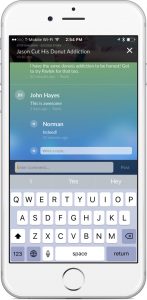
Subscribe to habit categories, read, and comment articles
To keep up with new content regarding your chosen topic, subscribe to that channel and check when new content is added. You’ll then be notified anytime content related to your topic is published. Never miss a thing.
We have been through the entire app to make improvements to the user experience.
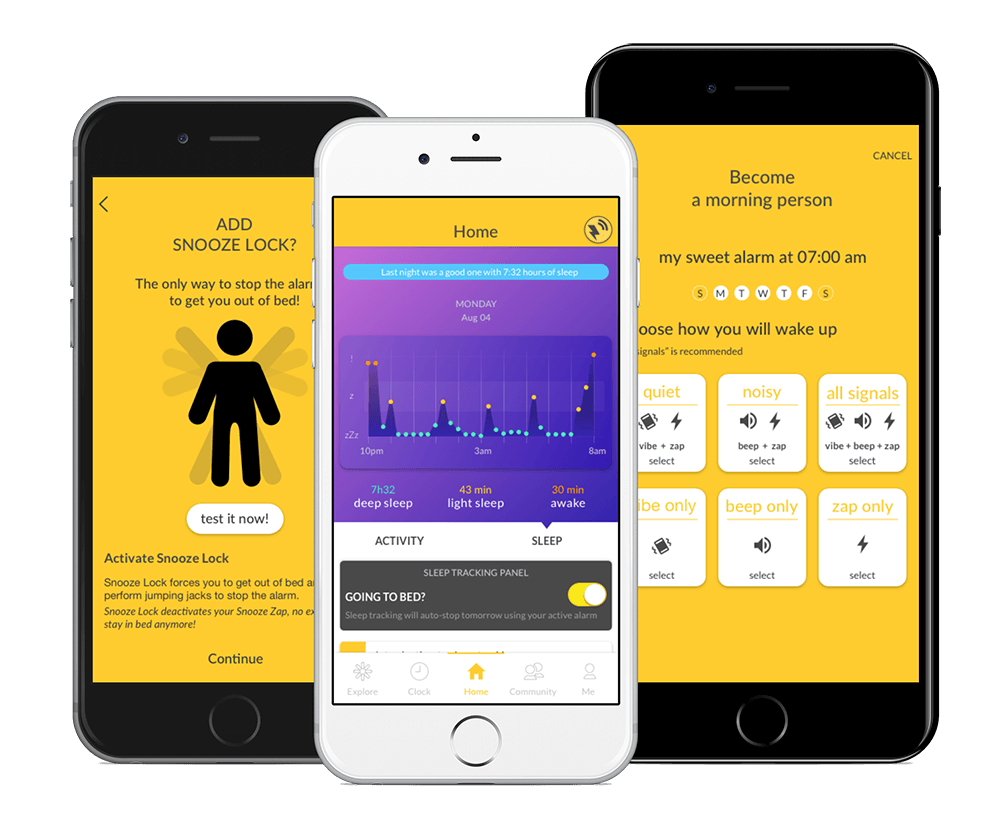
We’ve completely redesigned our fan favorite “Sleep Tracking” and put an emphasis on making the instructions more clear and simplifying the setups. Everything on the new app just works.
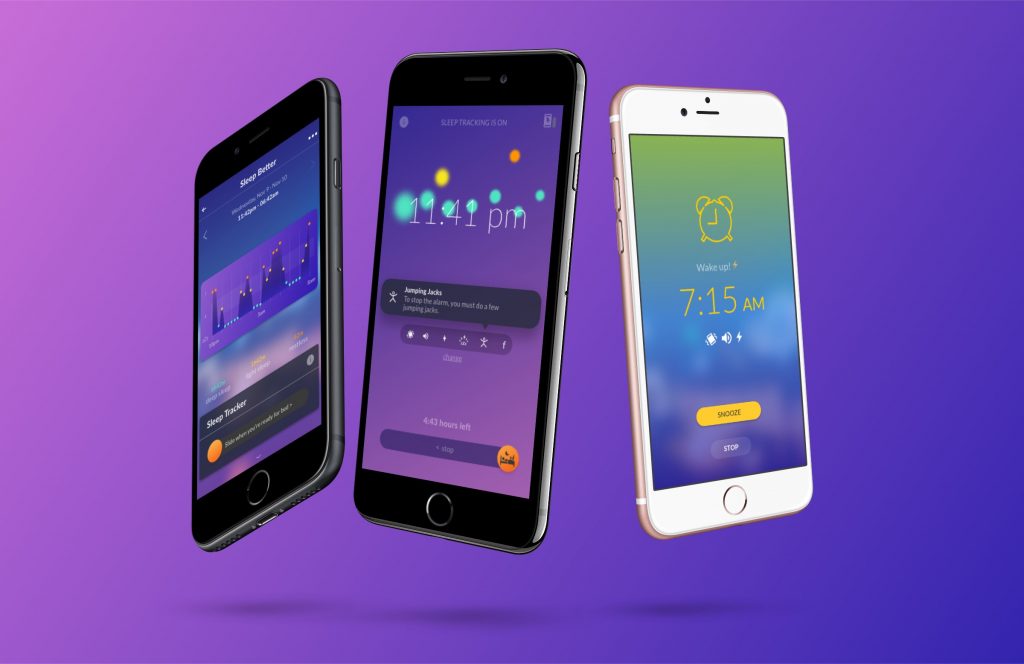
Improved easier sleep tracking
We also spent a ton of time creating fun and engaging animations when sleep tracking is engaged.
We have also improved the synchronization between the app and the device so that pairing issues will be less of a concern. If you engage sleep tracking and your battery is too low, you will get a reminder to charge your device before using.
Habit tracking has been slightly improved too! Now you can add notes about previous day’s activities (and edit them too!). The home screen sports a helpful graph that plots the reported urges or habit incidences along a timeline for the day.
This helps you notice if your habit correlates with meal times or other daily occurrences. We are now working hard on the habit part to create a full experience that will help you even more break and form habits.
We’ve also Introduced a new widget for iOS and Android: The tracking panel widget!
This widget allows you to check-in your behavior directly from your widget panel.
When you think you’ve have had enough of Explore, Clock, Home, and Course, you can move over to the More section.
You will find a wealth of information regarding your history, access “Pavlok Unlocked” to grant your friends and coaches the ability to send you a stimulus.
We’ve also included a review of what is new in the app, intro videos to help you get started, send us feedback, get your questions answered, view your firmware revision and even more more!
How did we make all these changes, without clobbering our database?
We performed a table-ecktomi and revamped our API to combine/reduce/streamline our fetching and posting.
Now things “just work” and you will have your history when you want it.
We made our app uber snappy and aware of what is onboard and what needs to be synchronized with the next connection to the Internet.
To make sure we can keep up, we have beefed up our analytics package to alert us when something is going wrong.
We didn’t spend all of our time developing, though, we also spent some serious hours fixing bugs from the past, including hopefully your favorites: sleep time remaining was wrong on occasion, fixed tracking panel disappearing in Airplane Mode, helped our folks with older iPhones get through the intense parts of the app.
We also learned some new tricks to help to pair with Bluetooth and fixed an iOS-9 crash issue.
We introduced Pavlok 4.1 to continue to fix more bugs. Here is the complete list of bugs and usability issues fixed with Pavlok 4.1:
The stopwatch screen still needs to be open to work properly; we are working on finding a fix and will let you know.
If you are having issues with Explore or another part of the app, let us no know. We will fix it as soon as possible for you.
We’re very excited for the future of Pavlok and the app, and are always open to suggestions and feedback.
❤️ from Boston
Pushing the app to the store
P.S Only a few more days until our Shock Clock sale comes to a close. Get yours for $99 today before we take down the deal.
Hi, this is Norman, Lead User Experience designer at Pavlok! I am going to tell you what a User Experience designer is, how I am applying it at Pavlok, and why I’m so passionate about it.
– Want to know what we are developing and have a voice in what will be built next in the Pavlok app? Go right at the bottom of this article! –
First of all, as a User Experience Designer I consider myself as a User advocate. In simple words, my goal is to create a better Pavlok experience for all of our current and future users. My first action when I arrived was to do a quick audit about what users were experiencing. Here is one that came out rapidly: it was hard to change the Pavlok zap strength in the first version of the app — remember those little circles and dots to turn around? — well, even if that was a fun and interesting concept, it wasn’t really what we call user-friendly. This is why I decided to change it into simple sliders.

You might wonder why I chose to center my work on the Pavlok iOS and Android app, well this is simply because of you, the users. You expressed that even though the Pavlok is working great, it is lacking the visual clues that make the experience of stopping or starting a habit easy. So I decided to answer to that frustration by building an app that would be the screen of your favorite device.
In a broader vision, here is how I work. I articulate my process over 4 main steps: Gathering Inputs, Ideating, Reviewing + User Testing, and Building the App with the software team.
Each of these steps requires a huge amount of feedback from everybody involved with Pavlok: the users (duh!), the Pavlok customer support team, the developers, the business, my friends, my mum… you got it, pretty much everybody! This is one of the many reasons why I am so passionate about my work, because I build for and with many people!
There are many ways to gather information about what I have to create next. The main one though is through user research. To carry it out I send surveys and interview users. But I also rely heavily on our Facebook community — I read all the comments! — and the feedback from the customer support team. At Pavlok, the whole team is very (very!) committed to user happiness, and whenever a user is having a bad experience, getting a bug or needs help to progress on their habit, I make sure the issue is addressed on the design level and that it will make it into the next release of the app.
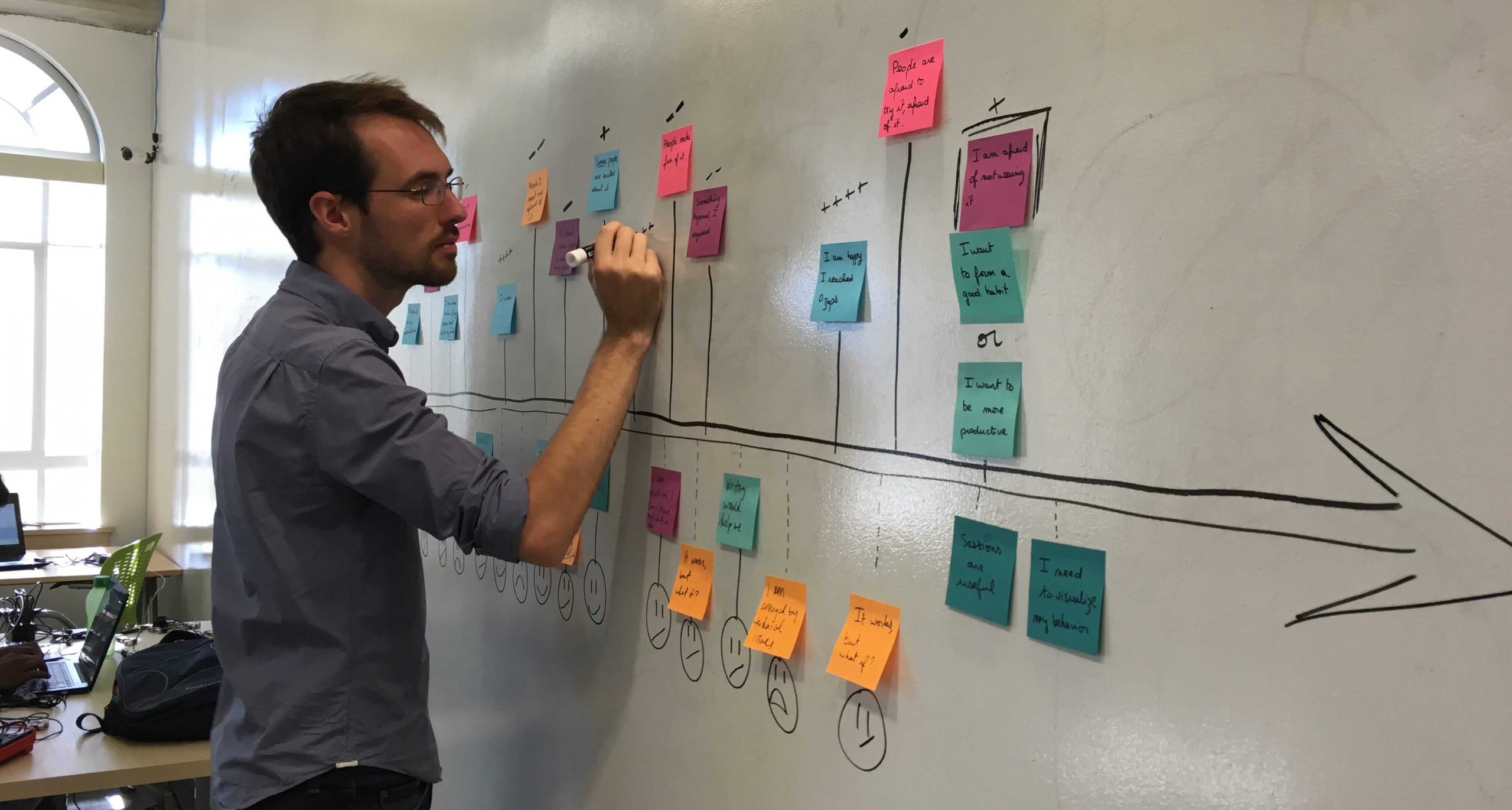
The big part of my work here is to blend all of the information I get into an actionable list of features so we can prioritize what to build next. This usually starts by reading absolutely all the answers and comments in the surveys on an excel spreadsheet, then putting tons of post-it-notes on a wall, a bit of drawing on a whiteboard, and a nice file I can share with the rest of the team.

Here is a “User Journey”, it displays what an average user is experiencing over two weeks using Pavlok and how it affects their emotions. In just a glimpse, you can see that I have some work to do to make sure the entire experience is in a green spot. Good thing that I love my work — yay! –

One of the latest cool examples is that since the October app update, we have a survey that regularly asks our users what habit they are doing. By gathering this info, and for the first time in Pavlok history, I can see what our users are doing, and how it is evolving! I found out that the Pavlok can be used in many more ways than I expected at first and that people can get really creative in what habit they stop or start with the Pavlok. The latest that surprised me? “Stop Eating Meat and Dairy”. That was unexpected and inspiring to see that some people use Pavlok to have a broader impact.
Once we figured out what to prioritize and to work on first, the next step is basically to get a little crazy and build many different options. This requires me to find inspiration from what our users like, what apps are doing it well, what our brand is and where we want to take it. Every day, there are awesome new apps that help people changing and tracking their habits, but very few have an actual device. The very interesting step for me is to make sure that we help our users change their habits by having an easier way to use the Pavlok daily. With that in mind, whether it is on paper, on a white board or directly on Sketch (a design software), I create different options of the feature we want to develop.

I try to have the Pavlok team review what I am building on a daily basis. But for the big new features such as “Sleep Tracking” I invite the entire team for a full design review session. I print all the screens, put them on the walls and ask the Pavlok team to write comments and questions directly on the designs. It is very helpful to start narrowing down options to make the design easier and clearer for the users.
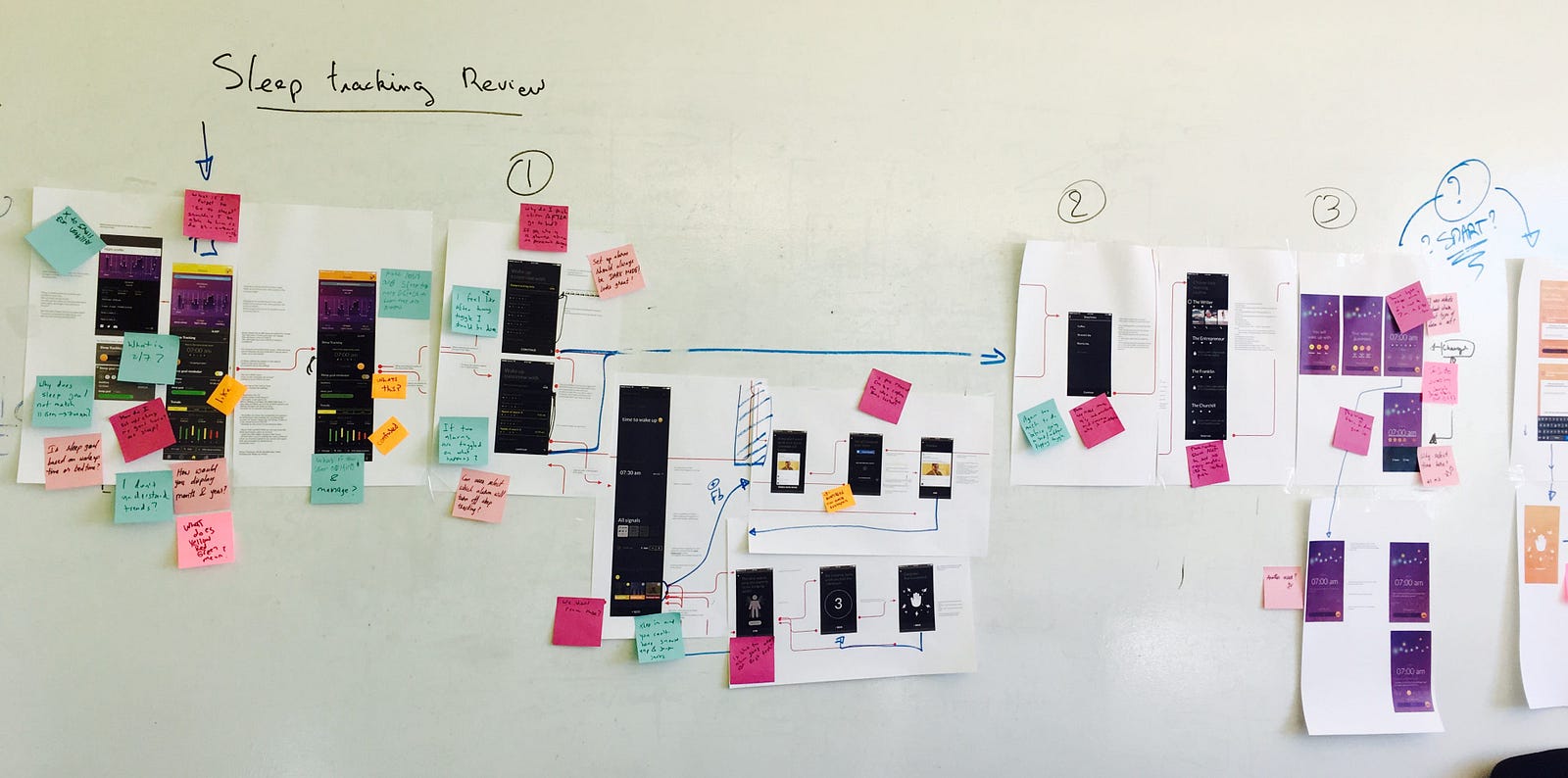

Once we narrowed the design to one solution, I create a clickable prototype on InVision. It enables me to build a fake app that users can interact with almost as if it was a real one.
This is how I can detect that some people cannot complete certain tasks in the new flow, that features can be hard to find or to understand. It is usually the most stressful and exciting moment as it is the first time that people see the new feature and share their honest feelings about it! It is always, always insightful and helps us improve dramatically from a first design to the latest.
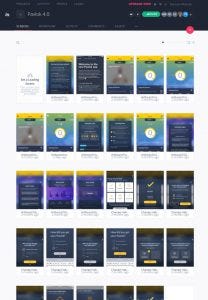
“The Importance of User Testing”
For example, users tend to review their habit at night, and they want to have more of a privacy feeling. So we decided to switch the app to a “dark mode”. We call dark mode the style where the text is white over a dark background. It allows users to create a more intimate feeling and it is more comfortable to read at night. My first version of that dark mode was a very dark blue background. And to be honest, it was kind of sad and too serious.
In the December 31st release, you might have seen that we offered a more uplifting version of the dark mode style. Why? This was all due to user testing. Users are attached to the Pavlok brand and the promise to quickly change their habit in an unexpected way. The Pavlok brand is joyful, unexpected and definitely not too serious. While testing the dark blue version people would say: “But I don’t understand why it is so dark, I am changing my habits, it should be uplifting!” And this is how I decided to make the jump to what you have now.
The next cool step in that process will be to allow the users to choose and customize their own theme. I can’t wait to offer that option!
If you agree, don’t hesitate to support it in our new Trello board at the end of this article!

Once I iterated on the designs and the “user testings” go smoothly, I start to involve the software development team more. Because yeah, somebody eventually has to build it! We are a small team of 5 people working at the interface between the app development for both iOS and Android and the device firmware. This is a lot of work to be carried out as we have to tackle so many aspects at the same time.
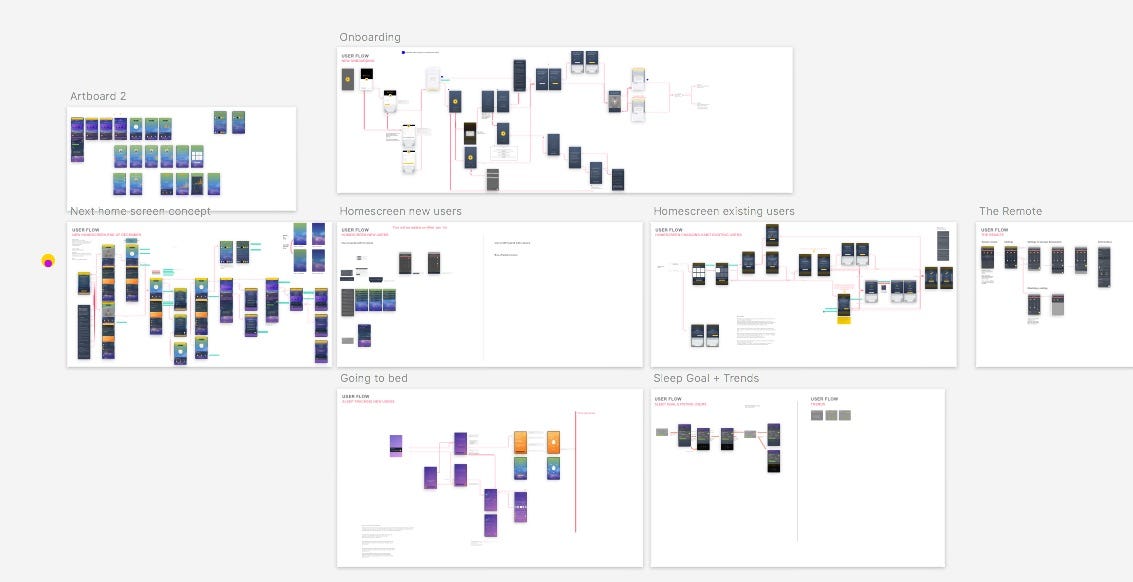
My work ends with the document I share with the software team. It is a flow of all the screens I have made. A nice compilation of a site map and a user flow with the descriptions of the interactions and all the assets they need to code, from fonts, to pictures, to frames for animated icons. Together we break it down to whatever steps are necessary to build the design, all the things that we have to create on our servers and on the app. We work closely together to make sure that we are building something we believe in and that corresponds to our user needs and wants.
The current development team ❤️
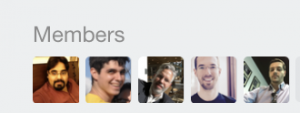
Thanks for reading our UX Pavlok story. You can now decide what feature will be built next! We are launching our open feature developement here. You will see what features are being considered, which ones are planned and the ones we are working on. We are working hard to create the tools and features that make the experience with the Pavlok better.
Go right there to our public Pavlok Feature Development https://trello.com/b/wXOGl4rC
Support the features you want by commenting on them! Tell us what you would like to have to improve your Pavlok experience, I told you, we read all of your comments!
Don’t like zapping yourself? Do you need that extra support from your family to do your dirty work? Or maybe you just want to zap your best friend, so he/she quits that bad habit? You can!
The Pavlok Unlocked provides an easy way for you to let someone assist you in breaking your bad habits. It is the best way to send or get zaps, beeps, and vibrations from anywhere or anyone with an internet connection.
Say your significant other is trying to stop nail biting. You see he/she chewing mindlessly away over on the couch. You can simply take out your phone and zap, vibrate, or beep them with a push of a button.
Think of Pavlok Unlocked as your partner in crime. It will help others make you more aware of your habits so that you can be successful!
Get help from someone by granting access to your device. It’s straightforward and easy.
Your friend or significant other gave you access to her/his Pavlok.
The Pavlok Unlocked Web App is securely connected to the Pavlok device through the Pavlok app.
For the remote to work the Pavlok users has to be connected to the internet, and to be paired with the app.
[et_pb_section admin_label=”section”][et_pb_row admin_label=”row” make_fullwidth=”off” use_custom_width=”off” width_unit=”on” custom_width_px=”696px” use_custom_gutter=”off” padding_mobile=”off” allow_player_pause=”off” parallax=”off” parallax_method=”off” make_equal=”off” parallax_1=”off” parallax_method_1=”off” column_padding_mobile=”on” custom_width_percent=”50%”][et_pb_column type=”4_4″][et_pb_button admin_label=”Button” button_url=”https://buy.maneesh.wpenginepowered.com/products/shocking-alarm-clock?utm_medium=blog&utm_source=blog-link&utm_campaign=9-14-16-email-broadcast” url_new_window=”off” button_text=”Preorder a Shock Clock for $99 + Free Shipping” button_alignment=”center” background_layout=”light” custom_button=”off” button_letter_spacing=”0″ button_use_icon=”default” button_icon_placement=”right” button_on_hover=”on” button_letter_spacing_hover=”0″ /][et_pb_gallery admin_label=”Gallery” gallery_ids=”1603,1594,1598,1599,1600,1595,1605,1606″ fullwidth=”off” show_title_and_caption=”on” show_pagination=”on” background_layout=”light” auto=”on” hover_overlay_color=”rgba(255,255,255,0.9)” caption_all_caps=”off” use_border_color=”off” border_color=”#ffffff” border_style=”solid” auto_speed=”2500″ caption_text_color=”#190000″] [/et_pb_gallery][et_pb_button admin_label=”Button” button_url=”https://buy.maneesh.wpenginepowered.com/products/shocking-alarm-clock?utm_medium=blog&utm_source=blog-link&utm_campaign=9-14-16-email-broadcast” url_new_window=”off” button_text=”Preorder a Shock Clock for $99 + Free Shipping” button_alignment=”center” background_layout=”light” custom_button=”off” button_letter_spacing=”0″ button_use_icon=”default” button_icon_placement=”right” button_on_hover=”on” button_letter_spacing_hover=”0″ /][/et_pb_column][/et_pb_row][/et_pb_section]