Blog

6 Products That Will Change Your Sleep Forever….

As you may have noticed, over the last few weeks we’ve discussed a lot about the power of a morning routine, and while we’ll have much more about that coming up soon… getting high quality sleep should be your number one focus when trying to improve your habits and life.

At Pavlok we believe getting high quality sleep is one of the best things you can do improve your life.  Being well rested is especially important for having more willpower and implementing positive habits.

Unfortunately, you’ll read a lot of blogs and books out there that push the “Hustle! #NOSLEEP” lifestyle, which for many, does much more harm than good.

Of course, we believe in working hard in any area you’re trying to improve, but you shouldn’t sacrifice quality sleep in the process. If you’re looking to dive into the science of sleep, we highly recommend Arianna Huffington’s recent book “The Sleep Revolution.”

In today’s post, we’ll be sharing 5 products that will help you get better quality shuteye — all tested personally by the Pavlok team.

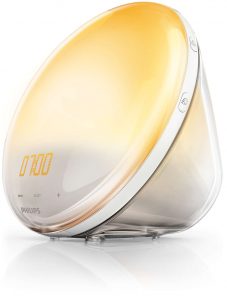
1. Philips Wake Up Light

One of the reasons many people are so groggy in the morning is because they wake up to a blaring alarm in the wrong stage of sleep.

Making sure you wake up at the ideal stage of your sleep cycle goes a long way in making sure you wake up with the most energy and focus as possible.

The Philips Wake Up Light is programed to wake you up gradually within a 30 minute window and it’s light mimics the sunrise, so your body is woken up naturally.

It also includes a variety of soothing sounds from nature and elsewhere so you wake up feel refreshed and ready to go.


2. Melatonin

For most people, getting to fall asleep is the biggest roadblock to actually getting high quality sleep.

Maybe you toss and turn for several hours before finally reaching dream land.

Melatonin is easily one of the most effective supplements to help you fall asleep and quickly.

Melatonin is a hormone found naturally in the body and responsible for adjusting your bodies internal clock. Unfortunately, many of our bodies “internal clocks” are a little off.

When taking Melatonin, you’re basically telling your brain — it’s time for bed. It won’t work for everyone, but for many, it does just the trick.

Note: We don’t play doctor at Pavlok, but one of the benefits of melatonin over a prescribed sleep medication, is melatonin is not addictive by nature. Please speak with your Dr. first.


3. Flux

One of the reasons our bodies “internal clocks” are so off, is we’re constantly being bombarded with unnatural light, particularly from our computer and phone screens.

So it’s no wonder why after watching Netflix for three hours before bed, you struggle to finally get some sleep after shutting your computer down.

Fortunately, there’s an awesome application that alters the color of your screen to emulate the respective time of day, so your body and eyes know it’s getting close to bed.

Using your phone and computer’s GPS signal, Flux will alter your screen light automatically. After using Flux for a few weeks you’ll wonder how you ever lived without it.

You can download Flux here.


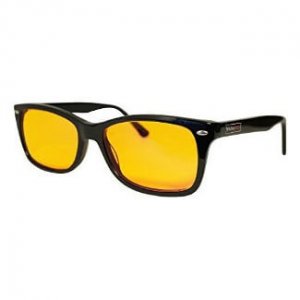
4. Swannies Blue Light Blocking Glasses

Altering the light from your computer screen and phone are one thing, but there’s still plenty of bad light that affects your sleep — your TV, Kindle, the light outside, etc.

Blue Light Blocking Glasses are designed to block ANY incoming bad light so you’re free to continue on as usual.

Most blue light blocking glasses are anti reflective and anti glare so it actually reduces quite a bit of stress on your eyes as well.

Just pop these bad boys on an hour or two before you go to sleep.. and you’re good to go.

These glasses are game changing.


5. Aroma Therapy + Music

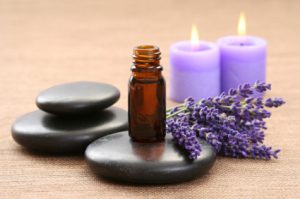
Another fantastic combo for getting to bed at a decent hour is aroma therapy + soothing music.

You can get an aromatherapy mister and humidifier for just 20 bucks.

It’s a nice ritual to get your brain in the mood for sleep and helps you relax after a long or stressful day.

My favorite go to is Lavender while listening to The Monument Valley soundtrack.

I fall asleep almost instantly.

6. The Pavlok

The best way to improve any area of your life is to start tracking.

If you’re trying to lose weight, log what you eat.
If you’re trying to gain muscle at the gym, log every workout.

The same goes with sleep.

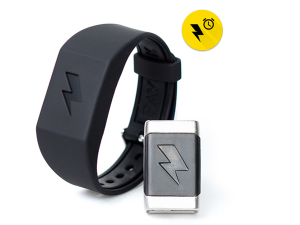
Use the Pavlok to help you track your sleep.

Over time as you continue to track your sleeping behavior, you’ll discover patterns on what your body does and does not respond to.

Maybe you start to notice your sleep quality is significantly better when you don’t drink. Or maybe you notice you get more sleep if you read before bed.

The only way to find out is to track it, the Pavlok and our app will help you get there.


Inside Pavlok – April App Updates

Welcome to another edition of Inside Pavlok.

Twice a month our engineering and development team share the latest updates with all things Pavlok. We like to give the community an inside look at what’s going behind the scenes, and we’re super excited at some of the newest features and updates.

Hope you enjoy the inside look at what we’re building…

Take it away, John and team. 

This month’s release of the Pavlok app is all about building a better infrastructure and measuring the user journey. Our goal is to make sure things just “work.” In every decision we make, we want to make it easier for you to get the most from the app — aka build and improve your habits.

We spend a ton of time working hard to understand how the Pavlok community progresses through the app, and what works to keep their habits in check. We love seeing our users have HUGE transformations in their lives and we aim to make the Pavlok app the best resource around.

Our latest update won’t look much different from a UI (User Design) perspective, but we have added significantly more function in regard to analytics and actionable insights from that data. Moving forward, we want to help you along the path of habit transformation with real-time feedback and suggestions.

On the infrastructure side, our back end boys, Igor and Rafael, have been busy constructing an automated testing framework that performs full regression testing on every build. In plain English, they make sure the app runs as you’d expect. There’s nothing worse than a helpful app that struggles to work properly.

Here is a rundown of what is new in this release:

  • Analytics
  • Crash detection
  • Bug fixes
    • Android memory optimizations
    • Intercom fixes
    • Push notification fixes
    • Battery indicator fixes
  • Grammar Updates

For our coding readers out there, you know that continuous integration is a best practice for making sure an app works time and time again. I am excited to say that we are well on schedule with this release and can’t wait to share it with you. We’ll be testing dozens of proof points to make sure there are no bugs or surprises.

With the new update, we also fixed a few old bugs (thank you Pavlok community for letting us know!) There were 7 people these bugs affected in the past, but we are also happy to report we have patched things up successfully. One of the biggest improvements we’ve made recently is the communication between the app and Pavlok hardware — no more freezing or hangups.

We are always testing on how to make it a better experience for our users, and constantly releasing new iterations of the app into the wild.

Before we go, we wanted to share a few useful features of the app.

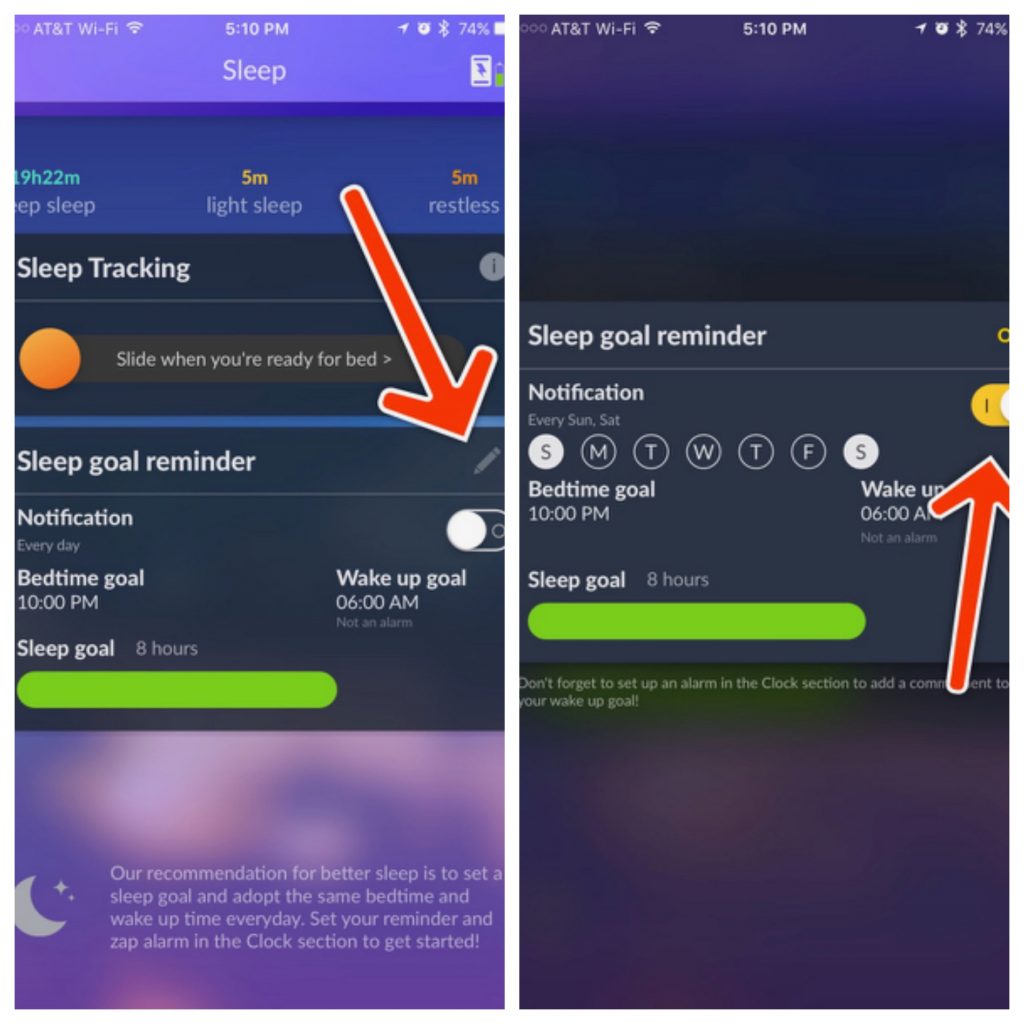
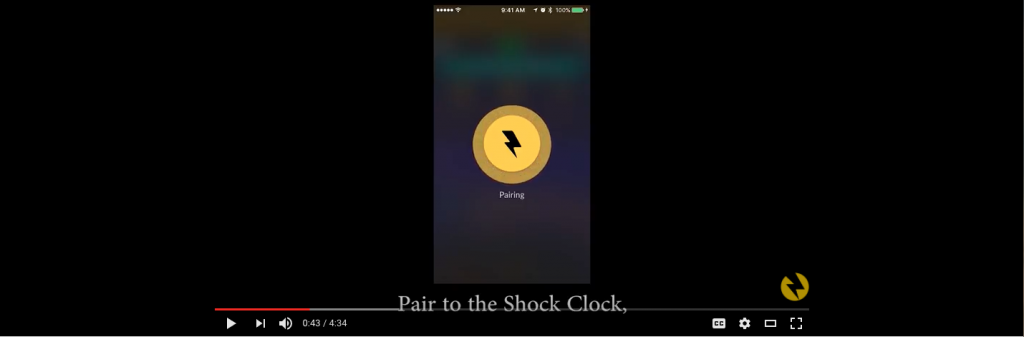
You can set a “Sleep Goal Reminder” on the Sleep page by clicking on the edit pencil icon as shown below: There you can turn on notifications and set up the times to be notified. Tap the wake up goal to set your desired wake up time to properly calculate the sleep goal.

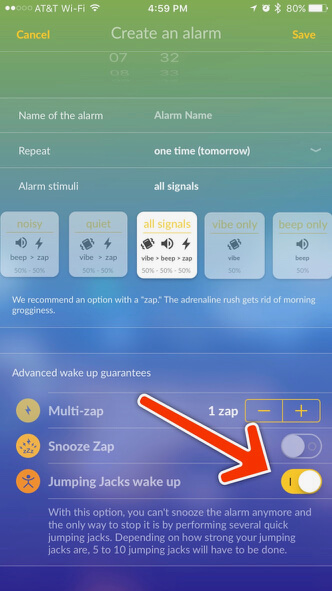
When setting up your alarms, you can also choose the stimuli patterns and even program your Pavlok to require you to get up and do 5 jumping jacks (some refer to these as “Star Jumps”). See the screenshots to locate the proper controls!

We are very excited about the progress of the app, and even more excited about some exciting new features and releases in the very short future.

Here’s some of what you can look forward to coming your way soon.

  • Pavlok is changing its interface into a Launcher style (Apps within the Pavlok App)
  • Adding better onboarding for individual habits and use cases
  • Improved graphics and tracking capabilities
  • Much more

We love hearing from you,  so please reach out with your suggestions and feedback, it helps us make the best product and app possible.

That’s it for the latest edition of Inside Pavlok.

Thanks for the awesome update John.

As you can see, we’re super busy here making Pavlok the best resource and tool to help you improve your habits.

And while we’ve had some pretty significant updates recently with the app, the best is yet to come.

If you joined us for our morning routine webinar last week, you got a sneak peak…

But here’s a little hint in case you missed it —  What is the most important keystone habit you can form before most people wake up?

We’ll be sharing more very soon…

-Maneesh Sethi

P.S Check out latest improvements on the Pavlok App. You can download on both  IOS and Google Play (No Pavlok wearable needed.)


#MotivationMonday – The Power of Community

Happy #MotivationMondy everyone!

We were blown away by the turnout for our Pavlok Spring sale, and we’re excited to officially welcome so many new faces to the Pavlok community.

Speaking of which, we received a ton of emails from people who wanted to buy, but the timing just wasn’t right.

Maybe you were unsure if Pavlok will really help you with a specific habit. Or maybe cash is a little tight.

We get it. Really.

Our number one goal at Pavlok is to help you reach your habit and life goals, no matter where you’re starting from.

Whether you’re a single mother working two jobs, and trying to cut back smoking…

A busy business executive trying to wake up early…

Or a sophomore in college trying to be more productive…

We want to make Pavlok the number one self-improvement resource for you.

Which is why we’re excited to share the latest developments of the Pavlok app.

Each week we post the best articles and resources to help you get the most from life. Over the next few months, we’ll continue adding tutorials, ultimate guides, courses and more.

You’ll also be able to interact with hundreds of people all around the world trying to improve themselves each day. What’s not to like?

Best yet; you don’t have to own a Pavlok or shock clock to use the app.

If you have a smartphone, you can use the Pavlok app for free.

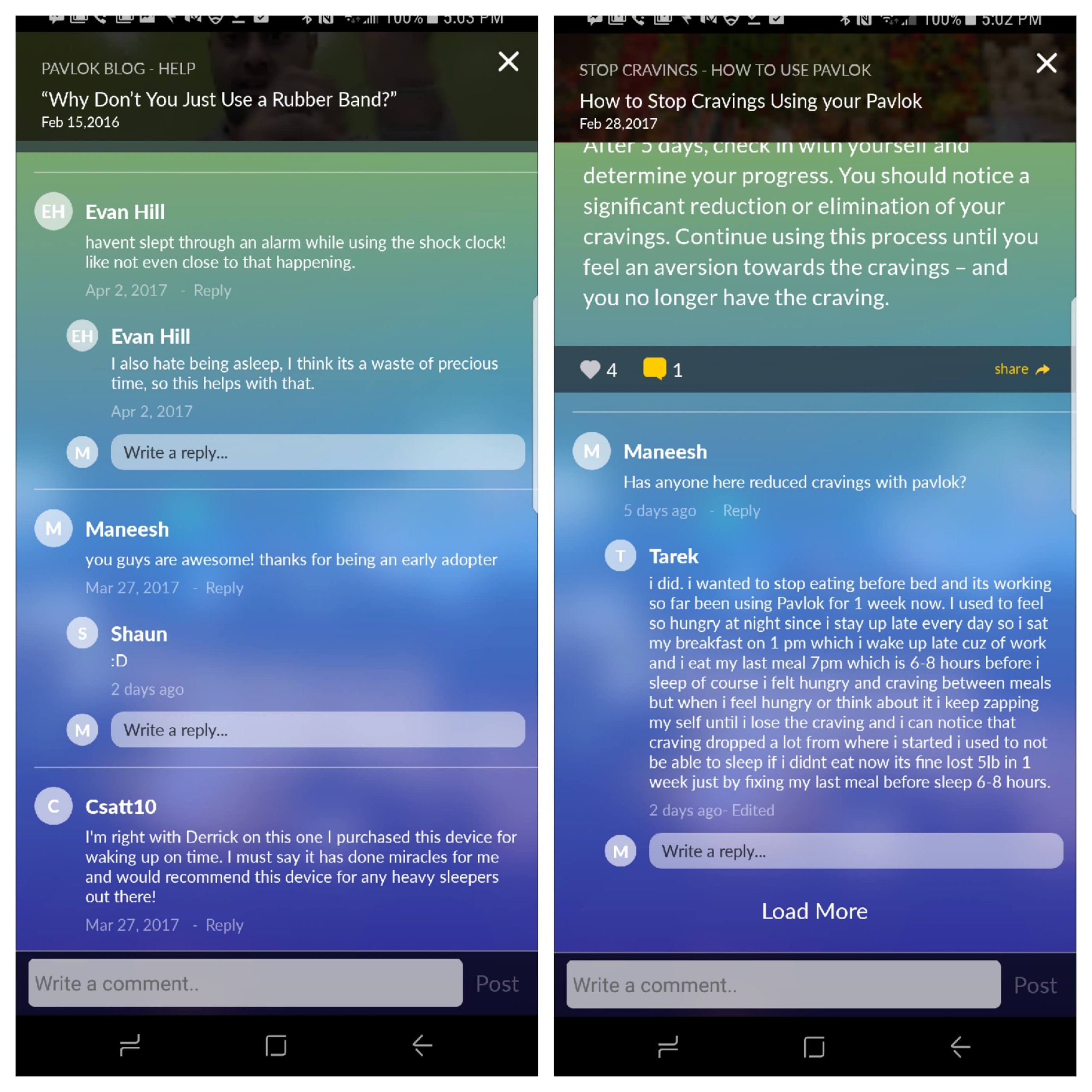
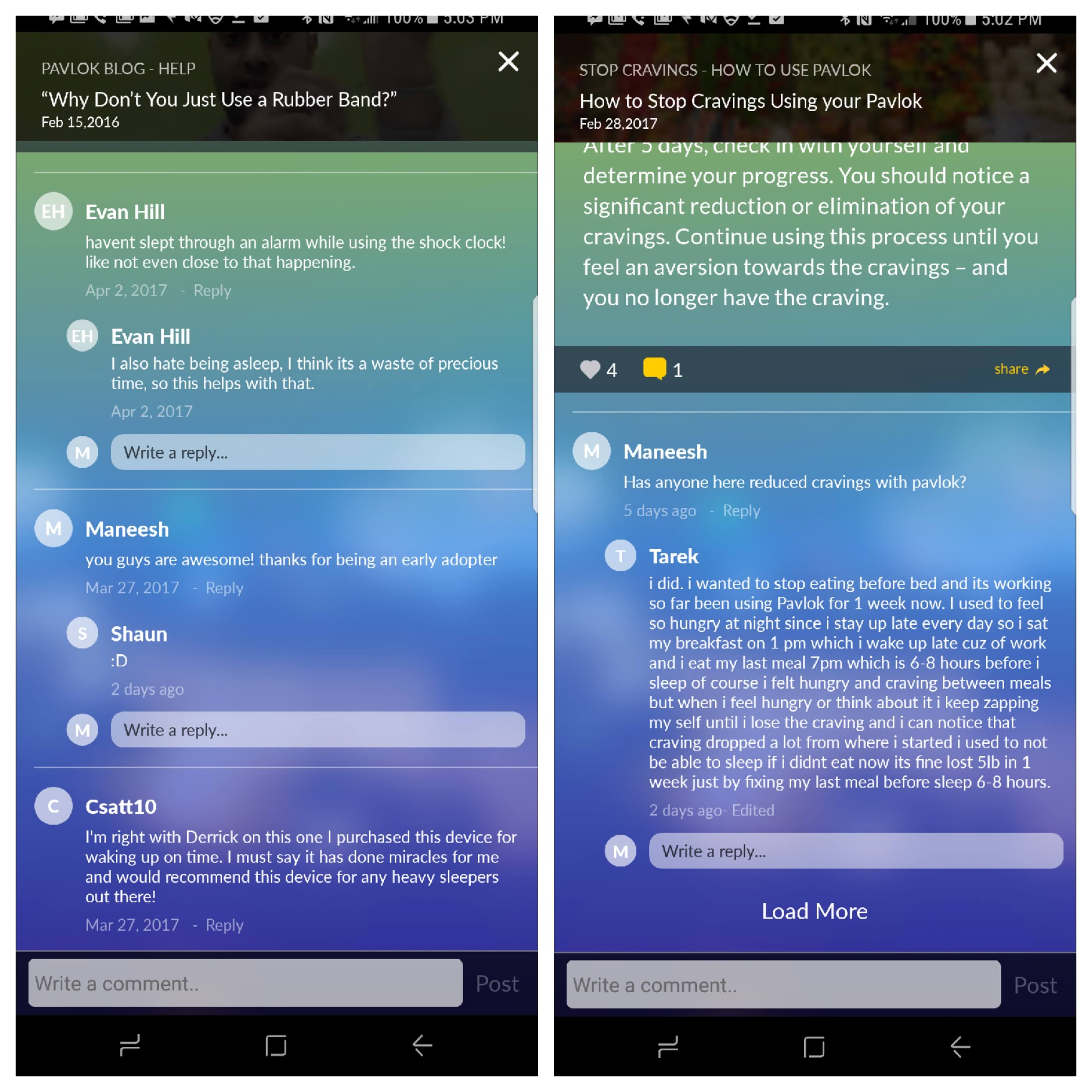
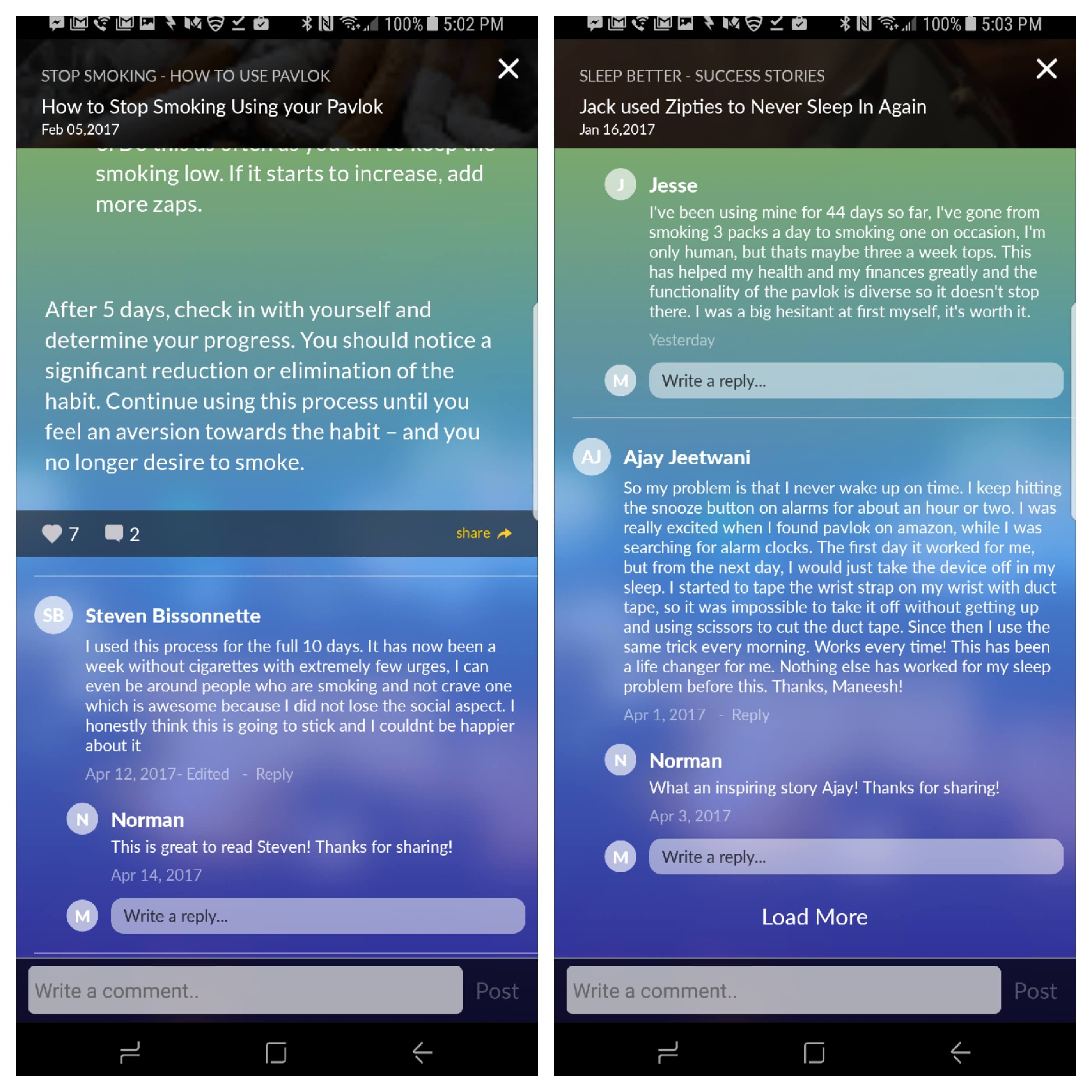
Check out some of the awesome conversations and comments from the Pavlok community.

Evan stopped sleeping in using the Shock Clock.

Jesse went from smoking 3 packs a day to having one on occasion with Pavlok.

We couldn’t be more excited about the direction Pavlok is heading and we can’t wait to show you the latest features we’ve been working on as well as some exciting new products launching in the near future.

Let this email be your permission to go have a kick ass Monday.

But before you go, leave a comment and tell me how you’re gonna make today great.

P.S Download the app on IOS and Google Play (No Pavlok wearable needed.)

Ain’t Nobody Got Time For Fake News

Happy Monday Pavlokians,

Welcome to another edition of #MotivationMonday. There’s nothing like a little boost to get your week started on the right track…

But you know what’s not very motivating?

Fake news.

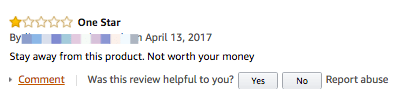
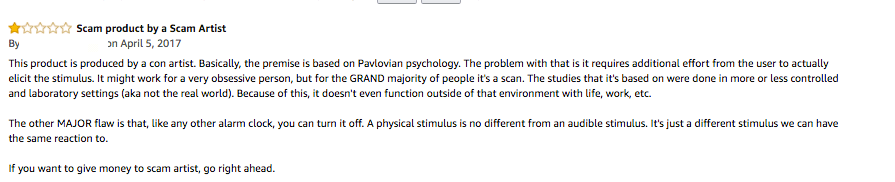
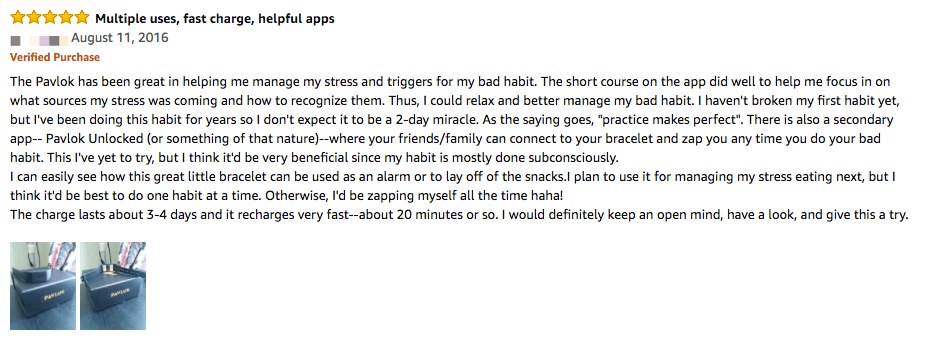
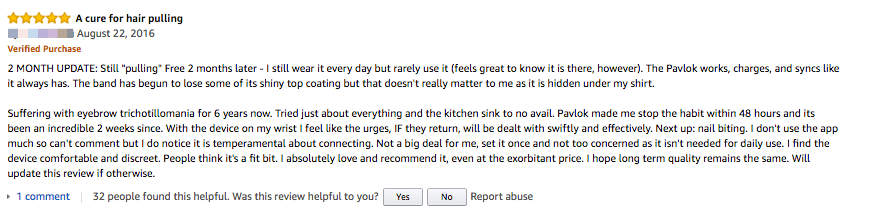
Specifically, the influx of “1 Star” Amazon reviews that we’ve received over the last few weeks on both the Shock Clock and Pavlok — almost all of which were unverified purchases.

Here’s a few of our favorites.

Gee.. where have I heard “scammer” before.. Also, Pavlok did release a rubber band. 😉

Now look, as CEO of Pavlok, I’ll be the first to admit we’ve had our fair share of growing pains. We’ve made mistakes. And while our product has helped thousands of people change their lives for the better, it isn’t the right fit for everyone.

We’re extremely grateful for constructive criticism and welcome it with open arms, and we are constantly listening to the Pavlok community to continue to improve.

But we won’t let fake news deter us from helping people all around the world become better versions of themselves.

And the truth is, I’ve never been more excited about the future of Pavlok.

So here’s your dose of motivation for the day. Go out and make a dent in the universe doing the things you truly believe in.

Because the secret to fighting the fake news… is telling your truth.

Whatever you do, don’t let fake news hold you back.

-Maneesh Sethi
CEO of Pavlok

P.S Easter just ended, and once the bunny leaves it’s back to those bad habits for many. We’ve got something special coming up this Friday that will help you stay on track with those good habits. Stay tuned. 🙂


So You Want To Change Your Habits…

TLDR: The difference between the Shock Clock and Pavlok

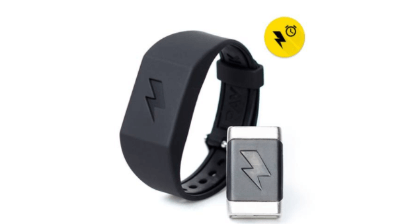
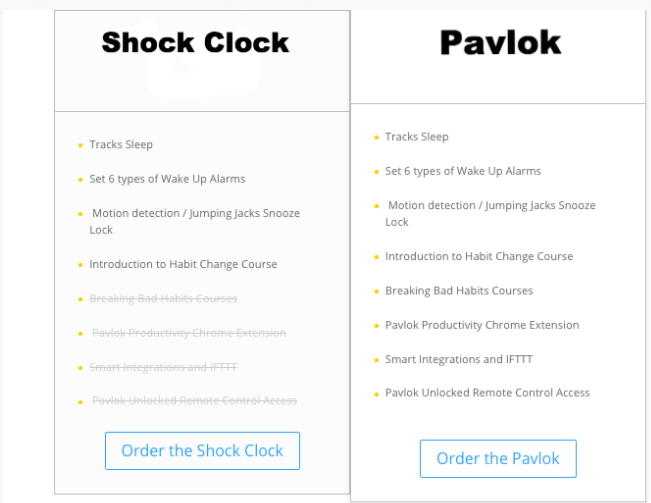
  • The Shock Clock is an alarm clock that vibrates, beeps, and zaps you awake.

  • The Pavlok includes all of the Shock Clock features, plus a full suite of courses, features, and integrations to help you break bad habits.


SHOCK CLOCK VS THE PAVLOK — WHICH ONE IS RIGHT FOR YOU?

Here at Pavlok, we help people change their habits. To do so, we create apps, wearables, technology, and more – all designed to help you improve your habits and take control of your life.

But when it comes to habit change, not everyone is at the same level, and that’s perfectly okay.

Maybe you just need a slight push to get out of the bed in the morning..

Or maybe you’re looking to remove some more ‘serious’ habits such as quitting smoking or consuming too much sugar.

Regardless of what you’re looking for, one of our two wearables has you covered. 

Our number #1 goal at Pavlok is to help you get from where you are now, to where you want to be.

Over the last 18 months we’ve helped thousands of people get on the right track with our two wearables the Pavlok and Shock Clock, both of which were created with a specific purpose in mind.

Today, we’d like to share the benefits of each one, and help decide which wearable is right for you.

SHOCK CLOCK $129.99

Our entry level wearable, the Shock Clock, is perfect for those just starting their habit change journey. Out of the box, it comes with everything you need to get your morning started on the right foot.

The fact is, our mornings are our most productive hours of our day.

As shown by multiple studies, willpower is highest in the morning; throughout the day, we drain our willpower through “decision fatigue”.

Imagine if instead of hitting snooze button, you could get your day started with a purpose.

Imagine being able to…

  • Do a full workout
  • Cook a healthy breakfast
  • Journal for half an hour
  • Practice a language or study something new
  • Meditate
  • Floss

….all in just about an hour… before you head to work.

The Shock Clock helps you turn that dream into reality.

Click here to learn more about how the Shock Clock works with the Pavlok app. 

The Shock Clock, works seamlessly with our Pavlok app, giving you your recent sleep statistics (how well you slept and for how long) as well as the ability to have your Shock Clock wake you up with a light zap or vibration.

Unlike, its big brother, the Pavlok, the Shock Clock relies on the alarm feature in the Pavlok app to administer your zap, vibration, or beep. Though, you can set as many alarms as you’d like in the app, to either wake you up in the morning, or a set reminder to take out the trash before you head to work.

When using the Shock Clock, the alarms are saved into the hardware, so even if your bluetooth connection is lost, you’ll still get a zap or vibration sent straight to your wrist.

The Shock Clock, also includes motion detection technology as well as it’s most popular feature the “Jumping Jack” snooze. If you have trouble sleeping in, just turn the “Jumping Jack” snooze on, and you’ll be required to do a few jumping jacks in the morning to save yourself from a zap.

Included in your purchase of the Shock Clock, you also gain access to our super useful “Introduction to Habit Change Course” that will walk you step by step on how to change your habits.

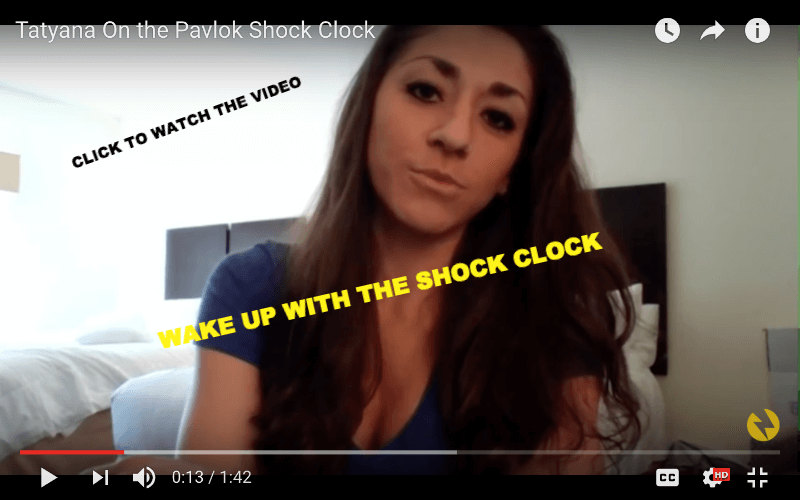
Shock Clock user Tatyana used the Shock Clock to go from 20 alarms in the morning to starting her day intentionally. Watch the video here.

THE PAVLOK $169

The Pavlok, includes all the features of the Shock Clock, but has dozens of additional features giving you everything you need to make significant changes to your habits.

With the Pavlok, you’ll also gain access to additional habit resources, such as our Breaking Bad habits course, Pavlok Productivity Chrome Extension,  as well as dozens of other smart integrations (such as IFFTT.)

And the Pavlok team is working day and night to introduce even more integrations and features to give you complete control of your habit change journey.

Click here to watch our founder Maneesh walk you through the Pavlok app. 

With the Pavlok you can…

  • Use the Google Chrome extension to have your Pavlok vibrate or zap you when you open up too many tabs.
  • Use our Amazon Alexa integration to have Alexa vibrate the Pavlok after an alarm goes off.
  • Integrate your Pavlok with Slack so you and your team can help keep each other focused and on track..

and much more.

The main benefit of the Pavlok wearable compared to the Shock Clock, is that the Pavlok comes completely unlocked, allowing you to self administrate a zap, vibration or beep manually.

This gives you the ability to pick and choose which habits you want to change, such as, quiting smoking, biting your nails, or consuming too much sugar.

The Pavlok brings the benefits of technology and extends them into the physical world.

Your imagination is the limit when it comes to using it throughout the day.

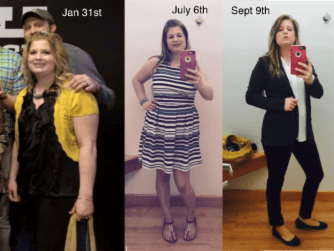
Kara used the Pavlok to help get her in the best shape of her life, by helping with her “mindless eating” habit. Read here story here.

As you can see, regardless of what you’re trying to accomplish the Shock Clock and Pavlok can help you get where you want to go.

Here’s a quick recap of what’s included in both the Shock Clock and Pavlok.

We hope this post has given you the information you need to decide whether the Shock Clock or Pavlok is right for you.

Happy habit building,

– Bud Hennekes 

Content Wrangler

P.S Have you checked out our top 11 favorite apps to help you be more productive and get more done?

11 Must Have Tech Apps That Will Help You Be More Healthy And Productive

Over the last few years, Pavlok has helped thousands of people all around the world break bad habits and implement powerful changes to live healthier and more productive lives.

It’s no secret we are by nature creatures of habit, so learning how to leverage the power of habits, is one of the best investments you can make.

Getting “good” at habits is a skill that literally anyone can learn, and it can make all the difference between where you are now and where you want to go.

At it’s core, Pavlok is a behavioral change company. So we thought, we’d share a few of our favorite apps and resources to help you be more healthy, happy, and productive. Here are some of our best suggestions…
1. MyFitnessPal (IOS & Android)

One of the biggest struggles many members of the Pavlok community face, is how to eat healthy and exercise on a consistent basis.

Our founder Maneesh even went as far as to shock himself if he didn’t go to the gym, (not to mention getting slapped every time he opened a Facebook tab.)

We get it.

It’s easy to give in to the temptation of having your favorite burger or indulging in a second piece of pie. It’s easy to skip the gym in favor of watching the latest Netflix show. (Orange is the new black anyone?)

But the truth is, to get the results you want, tracking your behavior is one of the best ways to almost all but guarantee success.

As the saying goes, what gets measured gets managed, and MyFitnessPal helps you do just that.

Each day simply log the foods you eat and what you do at the gym and the app will magically hold you accountable regardless of your goals.

It has a bunch of crazy awesome features to help you see how many calories you’re consuming ( and burning) and which exercises are really moving the needle towards your fitness goals.

After just a few weeks of using the app, you’ll notice it’s much more difficult to justify that candy bar or skipping the gym.

Trust us, you’ll want to give this a try if you aren’t doing so already.

2. Calm / HeadSpace (IOS & Android)
In an age of endless distraction, it’s insanely hard to stay focused. And it’s even easier to beat yourself up after checking your email inbox for the 27th time.

Heck, I stopped to check Twitter 7 times while writing this article.

Text messages, Twitter notifications, Facebook and the like are all fighting for our attention 24/7.

Fortunately, thanks to technology there’s a way to fight back.

And that starts with meditation.

There are dozens upon dozens of studies suggesting that meditation can not only help you focus, but also increase your happiness and overall satisfaction with life as well.

What’s not to like?

But as anyone who has ever tried to meditate for an extended period of time knows… it can be difficult.

Which is where both Calm and Headspace come in.

Calm and Headspace are two of the most popular meditation apps around and they both come with some incredible guided meditations to help you keep your meditation game strong.

Each app has a variety of programs to help you, based on your current goals and needs. Maybe you need help focusing, or maybe you want to find a little more inner peace. Or perhaps you just need help getting to sleep.

If guided meditation isn’t your thing, both Calm and Headspace offer some timed meditations both with music or timed silence.

If you’ve struggled to get your meditation habit going, these two apps just might be for you.

3. Way of Life Habit Tracker (IOS) & Coach.me (IOS and Android)
When it comes to building great habits (or killing bad ones), tracking your progress is one of the best things you can do.

There’s something inherently motivating about seeing that you’ve gone 7 days without sugar, or an entire month without lighting up a cigarette.

It’s also incredibly powerful to see that you’ve gone to the gym three days a week for the last year.

The comedian Jerry Seinfeld once attributed his ability to write his jokes to a simple whiteboard and a red marker. Each day he would task himself to write one joke, and at the end he would draw a giant red x on each day.

After a few days, he was motivated to never break the chain.

Insert habit trackers.

Habit trackers are an easy way to use technology to keep track of your habits and see where things need a little more work.

Our two favorite habit trackers are Way of Life and Coach.me (formerly lift)

Each are beautifully designed and super simple to use. But depending on your preferences you might lean towards one over the other.

Both Way of Life Habit Tracker and Coach.me are free to use but do have some premium options if you’re looking to upgrade your habit game.

Coach.Me also places a emphasis on coaching to help you reach your habit goals.

4.Self Control (IOS Only) & Freedom (IOS and Windows)
Even with good habits and doing our best to avoid distractions, sometimes we need to just get things done.

But thanks to that impulsive desire to open up a new tab or check our phones, we’re often stopped in our tracks.

The solution? Have technology give you hand.

Thanks to apps like Freedom and Self Control — you can blacklist certain sites for a specific period of time. Once blacklisted, no matter how much you try, you can’t get access to your favorite sites.

Even if you restart your computer or phone, you’re still out of luck.

While this may sound extreme, we can’t count how many times it’s helped us stay on track.

Twitter. Reddit. Instagram. Anything that distracts you, you can block.

Perfect for when you need to do get that report to your boss or publish that article for your blog.

We love technology.

5. Brain.FM (IOS and Web)
Ever listen to one of Drake’s song on repeat and get lost in a certain flow?

You can thank science and our bad jokes.

As with meditation, more and more research has shown that certain music or sounds can actually help you become more productive.

Whether that be listening to a specific song on repeat, or getting lost in a track scientifically engineered to get you into a productive state of mind.

How you structure your workflow can make an incredible difference in the amount of high quality work you’re able to get done.

Brain.FM has helped thousands of people in their everyday lives buckle down and get to work.

Open Brain.FM and set it for 30,60, or 90 minutes and watch your todo list be reduced to zero thanks to their science backed productivity playlist.

The best part about Brain.FM is that your coworkers won’t have to hear you hum the latest Taylor Swift hit.

6. Cold Shower Therapy (Android & IOS)
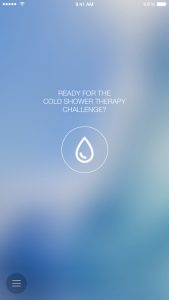
If you’ve spent any time reading personal development or productivity blogs over the last few years, chances are you’ve heard of the “magical powers” of taking a cold shower.

While the research is still being fleshed out, many entrepreneurs and successful business people swear by the power of starting your day with a cold shower.

CST, helps you track your cold shower journey, giving you a 5 minute countdown timer while while also letting you blast some of your favorite tunes.

Simply start the timer and stay in the shower until the buzzer goes off. It even keeps track of all your statistics so you can tell your friends you’ve taken a cold shower 67 days in a row.

While not for everyone, if you fancy the secret powers of cold showers, you’ll want to download CST.

7. Flux (Windows & IOS)
One of the worst parts of spending the bulk of your day on your computer is it puts an incredible amount of strain on your eyes — which can lead to headaches or the start of a killer migraine.

Unfortunately, for many, you can’t just stop using the computer during the day, otherwise you might find yourself looking for a new job.

Which is why Flux is such a game changer.

This free app makes the color of your computer’s display adapt to the time of day, warm at night and like sunlight during the day.

While it might take a little getting used to, use Flux for a while and it will be the first app you install the next time you get a new computer.

Flux not only helps reduce the strain on your eyes, it also helps you sleep better after a late night of work.

Just make sure to disable it if you’re line of work is in design.

8. SleepCycle (IOS and Android)
One of our favorite apps on the list, this app helps track the quality of your sleep using the technology of your smartphone.

It uses your phone’s sensors and microphone to determine how deep a sleep you get throughout the night. It also has a built in alarm function that wakes you up at the most optimal time in the morning within a 15-30 minute range.

So you wake up feeling refreshed.

As with MyFitnessPal, the power of SleepCycle is in the data you track.

Have 12 cups of coffee? Fight with your significant other? Leave a note on the app, and see first hand how various activities affect your sleep.

It even comes preloaded with some soothing sounds and music to help you wind down your day. No more. counting sheep.

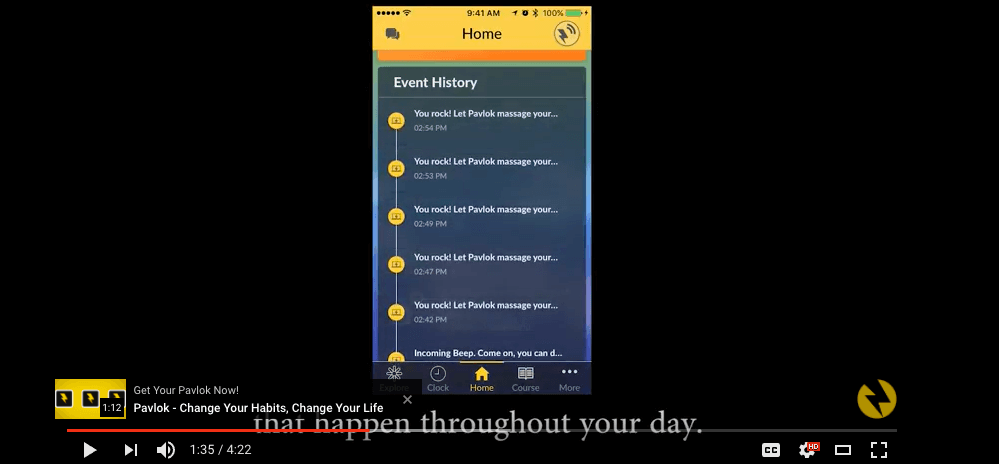
Great News: The brand new Pavlok app, also allows you track your sleep!

9. 7 Minute Workout (IOS and Android)
Going to the gym on regular basis is tough, especially if you live in NYC or Boston where a monthly membership can cost more than your rent.

Fortunately, you don’t need a gym membership to get the benefits of a high quality workout.

The 7 minute workout, has been scientifically proven (according to the new York times) to get you the perfect amount of exercise needed to stay both healthy and fit.

Just throw on your gym clothes, open the app, and start working up that sweat.

Best yet, these exercises can be done entirely in the comfort of your home, no equipment needed.

Rumor has it, CEO of Twitter Jack Dorsey swears by the simplicity and power of the 7 minute workout.

We’re sold.

P.S There’s a ton of 7 minute workout apps out there, all of which are roughly the same. Google is your friend.

10. WriteRoom (IOS) / WriteMonkey (Windows)
Writing the perfect email or blog post is hard enough on it’s own, but when faced with the temptation to check Facebook or go through your email, it’s even harder.

Fortunately, thanks to the fantastic distraction free writing apps like WriteRoom and WriteMonkey you can keep those distractions to a minimum and focus on putting words on the page.

Both these apps have some super simple designs allowing you to focus on what matters — your writing.

These apps by themselves are game changers, but when combined with apps like Freedom, you can literally write a book or two in just a few days.

It’s perfect for when you need to really bunker down and share your thoughts and ideas with the world.

You can choose between a variety of different colors for your background, and you can choose whichever font you fancy.

We just suggest you avoid using Webdings for anything important.

11. Pavlok
We couldn’t end the list without giving ourselves a little shoutout.

If you’re really looking to take your habits to the next level, our wearable Pavlok will give you just the support you need.

Zap yourself to help…

  • Quit smoking
  • Prevent sugar cravings
  • Stop biting your nails
  • Reduce distractions..

Or even get yourself out of bed in the morning.

The opportunities are quite literally endless.

We’ve also just released a completely new Pavlok app that will help you take your habits to the next level. (IOS & Google Play)

Regardless of what you’re trying to improve or quit Pavlok can help you get there.

Building habits is a long term journey, and of course you won’t get everything right off the bat.

But if you put in a strategic effort and use some of the apps above, we can almost guarantee better health and more productivity.

What’s there to lose?

Give a few of these apps a try, and let us know some of your favorite apps in the comments below!

Happy habit building,

-Bud Hennekes

Content Wrangler

P.S Have you tried the new Pavlok app? It’s our best version yet. Give it a try on IOS and Google Play