If you find yourself regularly choosing “yummy options” over “healthy options”, don’t feel miserable. It seems the way the brain is wired makes it easier to choose “yummy” rather than “healthy”, even when it’s clear the healthy option is best.
A recent experiment (Sullivan, Hutcherson, Harris, Rangel, 2014) may have uncovered exactly why this happens, and why it’s going to take more than willpower to make the right choices.
In the experiment, a group of volunteers were asked to make a number of food choices, while being monitored to find out how long it took their brain to process different attributes in food.
It appears the brain finds it easy to understand a simple attribute such as “taste”, while an abstract attribute such as “healthiness of food” is much more challenging. In fact, on average, taste information begins to influence our choice about 9% earlier than health information.
So when it’s time to choose between the apple and the ice-cream, your brain will first decide on the simplest attribute — taste.
While it might not be possible to rewire our brain to first process the healthiness attribute rather than the taste attribute, we can trick it into doing so.
The experiment shows that the brain will first focus on what is easy to understand. And that’s something we can use to our advantage.
If you want you brain to focus first on healthiness, find ways to make it easier to understand. Post nutritional information on your food containers. Make them bold and highlighted — get them to stand out.
The information is very easy to find. Just go to Google and type in “How many calories in beer” (or any other type of food or drink). This will give you the answer to your question, and a calculator you can use for any other item you want to search for.
Here’s what it looks like:
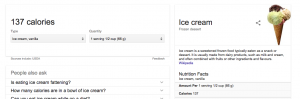
You can also do this for protein, fat and a number of other nutritional facts.
If you’re not a numbers person, you can create a bar chart, print it out and stick it to your food containers. Here’s a free service that allows you to create charts easily: https://nces.ed.gov/nceskids/createagraph/
Here’s what that would look like:
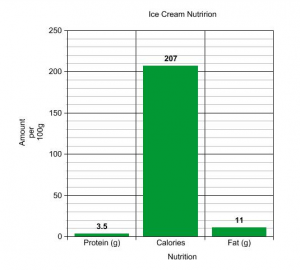
That graph took less than 2 minutes to do. More importantly, if you stick that to your ice-cream tub, your brain will find it a lot easier to decide based of healthiness, not just taste.
Bibliography
Sullivan, N., Hutcherson, C., Harris, A., & Rangel, A. (2014). Dietary Self-Control Is Related to the Speed With Which Attributes of Healthfulness and Tastiness Are Processed. Psychological Science, 26(2), 122–134. https://doi.org/10.1177/0956797614559543



 Create a to-do list that you’ll actually do: Use the integrated to-do list to map out your tasks for the day, and then use the pomodoro timer feature to set a timer for each task. Complete more by breaking your task into manageable chunks of time that help you focus intensely. If you’re a Pavlok user, connect your Pavlok to get a vibration when you complete your task!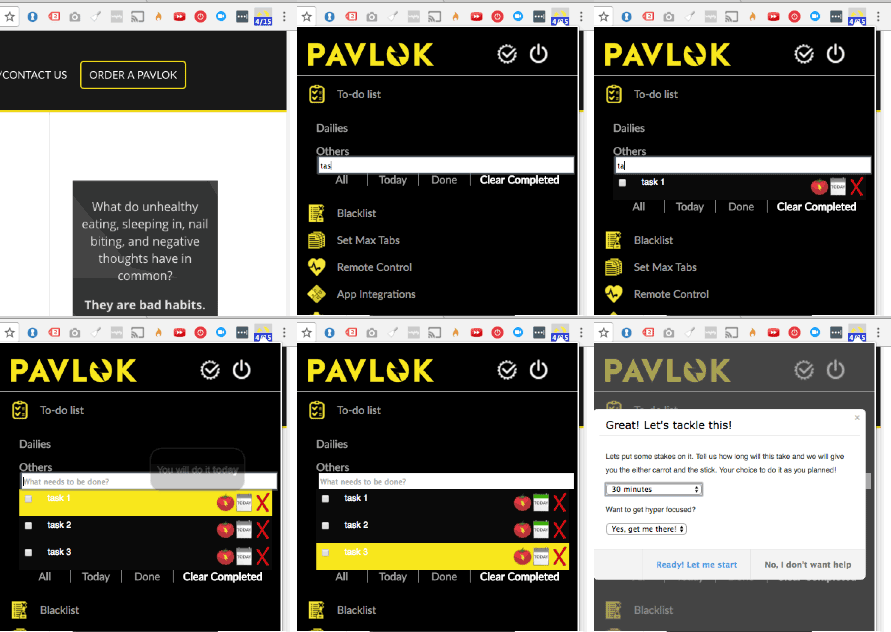
 Blacklist unproductive sites: Tired of wasting time online, but don’t realize when you’re mindlessly browsing? Catch yourself checking just one… more… status update? When you blacklist a site, this feature sends a browser notification when you go there reminding you to leave. And with a Pavlok, you can set it to zap you if you don’t leave right away!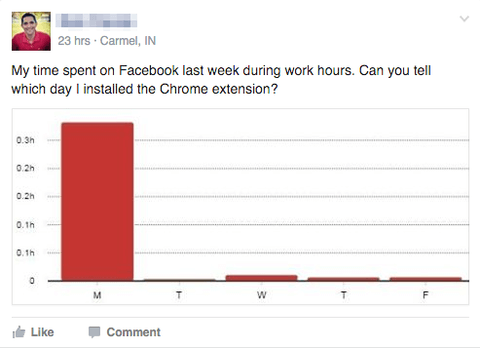
 Stay focused on the task at hand with tab limits: Too many tabs open = lack of focus. Prevent yourself from wandering off task with another browser window by setting a tab limit, and receive a warning notification if you open too many tabs. If you’re a Pavlok user, you can set the chrome extension to zap you when you open too many tabs!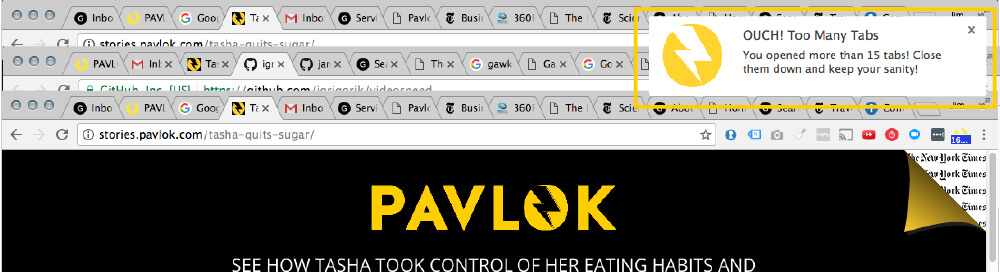
 Rescuetime integration: RescueTime tracks what sites and programs you use throughout the day. You tell it what types of activities are productive and unproductive, and it will give you a “productivity score” based on what programs you run and the sites you visit throughout the day. So we’ve integrated Pavlok and if your productivity score gets low enough (and you have a Pavlok connected) you get zapped!
 Auto-zap: Want to work on breaking a bad habit automatically when you aren’t at your computer? With auto-zap, you can set a timer for how long you want to do a training session, and how often you want to be zapped. Then just click go and you can walk away while the extension automatically administers zaps to your Pavlok.
 ToDoist Integration But it will also tell you when to take a break! Another great feature we have is ToDoist integration. If you use ToDoist, it can sync your tasks between the chrome extension and Todoist dashboard. Look for tasks you add via Pavlok extension in your ToDoist inbox, and watch as new Todoist dashboard tasks show up in your Pavlok extension!
 Coach Assistant Looking for a bit more help and direction in getting and staying on track? If you go to Advanced Options > Coach Assistant > Click checkbox to turn on, Pavlok will both remind you and break down your tasks, inviting you to take pomodoros on your todo list.